
Best Golf Simulators Under $1000: Home Setup Guide (2026)
Last Updated: February 2026
Looking for the best golf simulator under $1000? Here’s the truth most websites won’t tell you: you won’t find a complete golf simulator at this price point. What you will find are excellent launch monitors that deliver pro-level swing data and can connect to simulator software—giving you 90% of the experience at a fraction of the cost.
In this complete guide, I’ll break down the 5 best golf launch monitors under $1000, what they actually measure, and how to build a complete home setup without breaking the bank.
What Does $1000 Actually Get You?
Let’s set realistic expectations. A “complete golf simulator” typically includes:
- Launch monitor ($500-$3,000+)
- Impact screen ($200-$800)
- Projector ($500-$2,000)
- Hitting mat ($100-$500)
- Net or enclosure ($300-$1,500)
- Computer/software ($500+)
Total cost for a full simulator setup: $2,000-$10,000+
But here’s the good news: with just a quality launch monitor (our focus in this guide), you can:
- Get accurate swing data outdoors at the range
- Practice into a basic net at home
- Connect to simulator apps on your phone or tablet
- Play virtual courses on compatible software
The launch monitors in this guide represent the sweet spot between accuracy and affordability. They use either Doppler radar or photometric (camera-based) technology to track your ball and club.
Quick Comparison: Best Launch Monitors Under $1000
| Launch Monitor | Price | Technology | Key Metrics | Best For |
|---|---|---|---|---|
| Garmin Approach R10 | ~$599 | Doppler Radar | 14 metrics | All-around value |
| Rapsodo MLM2PRO | ~$699 | Dual Camera + Radar | 13 metrics | Video analysis |
| FlightScope Mevo | ~$499 | 3D Doppler | 8 metrics | Budget accuracy |
| SkyTrak (Refurbished) | ~$800-999 | Photometric | 12 metrics | Simulator use |
| Swing Caddie SC4 | ~$499 | Doppler Radar | 16 metrics | Outdoor practice |
#1. Garmin Approach R10 — Best Overall Under $1000

- Innovative Golf Practice & Play System: SkyTrak Personal Launch Monitor and Golf Simulator provides a cutting-edge, portable solution for accurate, real-time golf training and game improvement.
- Real-Time Visual Feedback & Analysis: Offers immediate shot launch data and 3D ball flight visual feedback with high-speed photography, including measurements of ball speed, launch angle, spin rates, and more.
- Wireless & Portable: Compact unit wirelessly connects to compatible devices, perfect for indoor golf training or improving your game away from the course. Includes built-in rechargeable lithium-ion battery with up to 4 hours of continuous use.
- Package Includes 14-day trial membership
The Garmin Approach R10 has dominated the budget launch monitor market since its release, and for good reason. At around $599, it delivers an incredible amount of data that was previously only available on $5,000+ devices.
What It Measures
The R10 tracks 14 different metrics:
Ball Data:
- Ball speed
- Launch angle
- Spin rate
- Spin axis
Club Data:
- Club head speed
- Club path
- Club face angle
- Attack angle
- Face to path
- Smash factor
Pros
- Excellent value — Most data per dollar
- Portable — Small enough for your golf bag
- 10-hour battery life — Full day at the range
- Free Garmin Golf app — Virtual rounds included
- E6 Connect compatible — Premium simulator software works great
- Works indoor and outdoor
Cons
- Requires 6-8 feet behind the ball — Indoor space considerations
- Spin accuracy can vary — Not as precise as $2,000+ units
- No direct screen connection — Must use phone/tablet as bridge
Who Should Buy It
The R10 is my top recommendation for most golfers. If you want serious swing data without spending serious money, this is it. It’s especially great if you plan to practice both at the range and at home.
Best for: Dedicated practice, data-driven improvement, occasional simulator use
#2. Rapsodo MLM2PRO — Best for Video Analysis

- Advanced Golf Launch Monitor – The Rapsodo MLM2PRO golf launch monitor delivers pro-level accuracy, measuring 13 core golf metrics, including spin rate, spin axis, and swing speed, making it a golf training aid
- Golf Simulators for Home & Practice – Pair this mobile launch monitor with your smartphone or tablet to transform any space into a golf simulator, offering virtual courses and precise golf swing analysis
- Ultimate Golf Tracker & Swing Analyzer – Get real-time data on ball speed, club speed, and launch angle with this cutting-edge golf tracker and swing analyzer, designed to improve accuracy on the course.
- Indoor & Outdoor Golf Training Aid – Whether you're at the driving range or setting up a golf simulator at home, the Rapsodo MLM2PRO provides reliable data, helping golfers perfect their game anywhere.
- MLM2PRO Smart Golf Simulator – Experience realistic golf simulation with the MLM2PRO launch monitor, which integrates with leading golf apps for a full-swing golf simulator exper
The Rapsodo MLM2PRO ups the ante with dual cameras that capture your swing alongside launch data. If you’re serious about improving your technique (not just your numbers), this combination is powerful.
What It Measures
13 core metrics including:
- Ball speed and carry distance
- Spin rate and axis
- Launch angle (horizontal and vertical)
- Club head speed
- Smash factor
Plus visual feedback:
- Swing video from two angles
- Shot trace overlay
- Impact position
Pros
- Dual camera system — See your swing alongside your data
- Indoor/outdoor versatility — Excellent in both environments
- Shot trace visualization — Watch your ball flight in the app
- Putting analysis mode — Bonus feature many competitors lack
- GPS Rangefinder included
Cons
- Higher price point — ~$699 stretches the budget
- Requires good lighting — Camera-based system needs visibility
- App subscription optional — Some features require Rapsodo+ ($99/year)
Who Should Buy It
If you’re working with a coach or seriously focused on swing mechanics, the video integration makes the MLM2PRO worth the extra $100 over the R10. Seeing your swing synced with your data accelerates improvement.
Best for: Swing improvement, coaching, visual learners
#3. FlightScope Mevo — Best Budget Option

- Practice with purpose with this lightweight and portable 3D Doppler radar launch monitor.
- Practice Anywhere- Use Mevo to improve on the range, on the course, and at your home with video and data on every shot
- 8 Data Parameters- Includes 8 full swing performance data parameters with direct spin measurements
- Mevo Skills Challenges- Includes PGA & LPGA Challenges, Long Drive Competition & Range Competition
FlightScope makes some of the most trusted launch monitors on Tour (the $25,000 X3 is the gold standard). The Mevo brings that pedigree to the masses at just ~$499.
What It Measures
The Mevo tracks 8 essential metrics:
- Carry distance
- Club head speed
- Ball speed
- Smash factor
- Vertical launch angle
- Spin rate
- Flight time
- Roll distance (calculated)
Pros
- Tour-proven technology — 3D Doppler radar in a compact package
- Excellent outdoor accuracy — Reliable distance tracking
- No subscription required — All features included
- Small and portable — Fits in your pocket
- E6 Connect compatible
Cons
- Fewer metrics — 8 vs. 14 on competitors
- No club data — Face angle, path not included
- Requires metallic stickers — For indoor use (included)
- Older design — Interface feels dated
Who Should Buy It
If you just want accurate distances and basic swing data without bells and whistles, the Mevo delivers. It’s the most reliable option for golfers who primarily practice outdoors.
Best for: Range sessions, distance verification, budget-conscious buyers
#4. SkyTrak (Refurbished/Sale) — Best for Simulator Use
- Innovative Golf Practice & Play System: SkyTrak Personal Launch Monitor and Golf Simulator provides a cutting-edge, portable solution for accurate, real-time golf training and game improvement.
- Real-Time Visual Feedback & Analysis: Offers immediate shot launch data and 3D ball flight visual feedback with high-speed photography, including measurements of ball speed, launch angle, spin rates, and more.
- Wireless & Portable: Compact unit wirelessly connects to compatible devices, perfect for indoor golf training or improving your game away from the course. Includes built-in rechargeable lithium-ion battery with up to 4 hours of continuous use.
- Package Includes 14-day trial membership
The SkyTrak is technically outside our $1000 budget at full retail (~$1,995), but refurbished units and seasonal sales often bring it under $1,000. If you can find one, it’s the best launch monitor for a dedicated home simulator.
What It Measures
12 ball flight metrics with exceptional accuracy:
- Ball speed
- Launch angle
- Back spin
- Side spin
- Spin axis
- Side angle
- Carry distance
- Total distance
Pros
- Photometric accuracy — Camera-based = consistent spin readings
- Best simulator integration — Works with virtually all software
- Minimal space required — Sits beside the ball
- Shot shape accuracy — Excellent draw/fade detection
- Proven reliability — Years of user trust
Cons
- Price — Only under $1000 when refurbished
- Subscription required — $99/year for full features
- Indoor focused — Less reliable in bright sunlight
- Ball position critical — Must place ball precisely
Who Should Buy It
If you’re committed to building a dedicated indoor simulator room and find a SkyTrak under $1000, jump on it. The photometric technology provides the most consistent data for simulator software.
Best for: Indoor simulators, year-round practice, dedicated golf rooms
#5. Swing Caddie SC4 — Best for Outdoor Practice
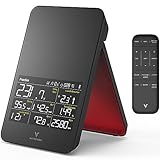
- FREE DRIVING RANGE & 1 COURSE: Swing Caddie x E6 Connect Simulator allows you to immerse yourself in photorealistic landscapes and lifelike courses – download and sign up through the E6 app (iOS only) and create your own golf launch monitor for home
- SUPERIOR RADAR PRECISION: Achieve unparalleled accuracy with the SC4's advanced Doppler radar technology, providing precise swing analysis and realistic golf monitor simulation for unmatched performance insights
- PRACTICE MAKES PERFECT: Fine-tune your swing technique with a driving range demo featured in this full swing kit launch monitor, allowing you to perfect your shots and unleash your full potential
- METRICS THAT MATTER: From swing speed to ball speed, distance to launch angle, the SC4 golf swing tracker captures performance metrics that can take your game from ordinary to extraordinary
- WEATHER-PROOF ACCURACY: Enjoy precise measurements regardless of weather conditions, thanks to the integrated barometric pressure sensor that comes with every SC4 golf swing caddie
The Swing Caddie SC4 packs an impressive 16 metrics into a ~$499 package. Voice Caddie (the parent company) has a strong reputation for accurate, user-friendly devices.
What It Measures
16 measurements including:
- Carry and total distance
- Ball speed and club speed
- Smash factor
- Launch angle
- Spin rate
- Apex height
- Descent angle
- Flight time
Unique features:
- Remote control included
- Built-in speaker for voice feedback
- Practice modes (target, approach, etc.)
Pros
- Most metrics at this price — 16 data points
- Voice feedback — Hear your numbers without looking
- Long battery life — 10+ hours
- Remote control — No phone needed
- E6 Connect compatible
Cons
- Radar limitations — Less reliable on short shots
- Spin accuracy variable — Not as consistent as photometric
- Less app integration — Standalone focus
- Newer product — Less long-term data available
Who Should Buy It
The SC4 excels as a range companion. The voice feedback and remote control make it incredibly convenient when you’re hitting ball after ball. Great for players who prioritize outdoor practice.
Best for: Driving range sessions, outdoor-focused practice, voice feedback lovers
What Else You Need: Complete Home Setup Guide
A launch monitor is the brain of your setup, but you’ll need a few more pieces to practice at home.

The Essentials
1. Golf Net ($100-$400)
Even a basic net works if you’re just tracking data. Look for:
- Minimum 10′ wide × 7′ tall
- Double-backed netting for durability
- Quick setup/teardown if space is limited
Budget pick: GoSports Golf Practice Net (~$80)
Mid-range: Net Return Pro Series (~$400)
2. Hitting Mat ($80-$400)
Protect your floors and joints:
- Minimum 4′ × 5′ for full swings
- Real turf feel preferred
- Replaceable hitting strip ideal
Budget pick: GoSports Golf Hitting Mat (~$100)
Mid-range: FiberBuilt Launch Monitor Studio (~$350)
3. Impact Screen (Optional, $150-$600)
If connecting to simulator software:
- Minimum 9′ × 7′ for comfortable viewing
- Matte finish reduces glare
- Grommets for easy hanging
Budget pick: Carl’s Place Golf Impact Screen (~$150)
Optional Upgrades
Projector ($400-$1,500) — Turn that impact screen into a virtual course
Computer/Apple TV — Run simulator software
Enclosure ($500-$2,000) — Fully contained hitting bay
Complete Setup Budgets
Budget Setup (~$750 total)
| Item | Cost |
|---|---|
| FlightScope Mevo | $499 |
| Basic golf net | $80 |
| Entry hitting mat | $100 |
| Phone mount | $20 |
| Total | ~$700 |
Practice into a net while tracking data on your phone
Mid-Range Setup (~$1,200 total)
| Item | Cost |
|---|---|
| Garmin Approach R10 | $599 |
| Quality net | $200 |
| Fiber-turf mat | $250 |
| Impact screen | $150 |
| Total | ~$1,200 |
Full data tracking with optional projector upgrade later
Premium Setup (~$2,000 total)
| Item | Cost |
|---|---|
| SkyTrak (refurbished) | $900 |
| Net Return system | $400 |
| FiberBuilt mat | $350 |
| Carl’s Place screen | $200 |
| Short throw projector | $600 |
| Total | ~$2,450 |
Complete simulator experience at home
Frequently Asked Questions
Can I really play golf simulator courses for under $1000?
Yes! All five launch monitors in this guide connect to simulator apps. The Garmin R10 includes virtual courses free in the Garmin Golf app. E6 Connect ($300/year or included with some devices) offers 90+ courses. You’ll play on your phone, tablet, or connected TV—not a projector setup at this budget.
Which launch monitor is most accurate?
For spin accuracy (important for simulators): SkyTrak > Rapsodo MLM2PRO > Garmin R10 > Others
For distance accuracy outdoors: FlightScope Mevo ≈ Garmin R10 > Others
The $500 launch monitors are within 3-5% of $20,000 devices for most metrics. The biggest accuracy gaps are in spin rate and axis readings.
How much space do I need?
Minimum: 10′ wide × 10′ deep × 9′ tall
Comfortable: 12′ wide × 15′ deep × 10′ tall
The Garmin R10 needs to sit 6-8 feet behind the ball, which adds to depth requirements. SkyTrak sits beside the ball, requiring less depth.
Do I need a subscription?
Garmin R10: No (Garmin Golf app is free)
Rapsodo MLM2PRO: Optional $99/year for premium features
FlightScope Mevo: No
SkyTrak: Yes ($99/year for full functionality)
Swing Caddie SC4: No
Can I use these outdoors?
All five work outdoors, but some are optimized differently:
Best outdoors: FlightScope Mevo, Swing Caddie SC4, Garmin R10
Better indoors: SkyTrak, Rapsodo MLM2PRO
Is the Garmin R10 worth it over the cheaper options?
For most golfers, yes. The R10’s combination of 14 metrics, excellent app, portable design, and competitive price makes it the overall value leader. You’d need to spend $2,000+ to get meaningfully better data.
Final Verdict: Which Should You Buy?
🏆 Best Overall: Garmin Approach R10
- Innovative Golf Practice & Play System: SkyTrak Personal Launch Monitor and Golf Simulator provides a cutting-edge, portable solution for accurate, real-time golf training and game improvement.
- Real-Time Visual Feedback & Analysis: Offers immediate shot launch data and 3D ball flight visual feedback with high-speed photography, including measurements of ball speed, launch angle, spin rates, and more.
- Wireless & Portable: Compact unit wirelessly connects to compatible devices, perfect for indoor golf training or improving your game away from the course. Includes built-in rechargeable lithium-ion battery with up to 4 hours of continuous use.
- Package Includes 14-day trial membership
— The clear winner for most golfers. Incredible data at an incredible price.
📹 Best for Video Analysis: Rapsodo MLM2PRO
- Advanced Golf Launch Monitor – The Rapsodo MLM2PRO golf launch monitor delivers pro-level accuracy, measuring 13 core golf metrics, including spin rate, spin axis, and swing speed, making it a golf training aid
- Golf Simulators for Home & Practice – Pair this mobile launch monitor with your smartphone or tablet to transform any space into a golf simulator, offering virtual courses and precise golf swing analysis
- Ultimate Golf Tracker & Swing Analyzer – Get real-time data on ball speed, club speed, and launch angle with this cutting-edge golf tracker and swing analyzer, designed to improve accuracy on the course.
- Indoor & Outdoor Golf Training Aid – Whether you're at the driving range or setting up a golf simulator at home, the Rapsodo MLM2PRO provides reliable data, helping golfers perfect their game anywhere.
- MLM2PRO Smart Golf Simulator – Experience realistic golf simulation with the MLM2PRO launch monitor, which integrates with leading golf apps for a full-swing golf simulator exper
— Worth the extra $100 if you want to see your swing alongside your stats.
💰 Best Budget Option: FlightScope Mevo
- Practice with purpose with this lightweight and portable 3D Doppler radar launch monitor.
- Practice Anywhere- Use Mevo to improve on the range, on the course, and at your home with video and data on every shot
- 8 Data Parameters- Includes 8 full swing performance data parameters with direct spin measurements
- Mevo Skills Challenges- Includes PGA & LPGA Challenges, Long Drive Competition & Range Competition
— Tour-proven accuracy at the lowest price. Perfect for range sessions.
🎮 Best for Simulators: SkyTrak — If you find one under $1000 refurbished, it’s the best choice for a dedicated home simulator.
🔊 Best for Outdoor Practice: Swing Caddie SC4
- FREE DRIVING RANGE & 1 COURSE: Swing Caddie x E6 Connect Simulator allows you to immerse yourself in photorealistic landscapes and lifelike courses – download and sign up through the E6 app (iOS only) and create your own golf launch monitor for home
- SUPERIOR RADAR PRECISION: Achieve unparalleled accuracy with the SC4's advanced Doppler radar technology, providing precise swing analysis and realistic golf monitor simulation for unmatched performance insights
- PRACTICE MAKES PERFECT: Fine-tune your swing technique with a driving range demo featured in this full swing kit launch monitor, allowing you to perfect your shots and unleash your full potential
- METRICS THAT MATTER: From swing speed to ball speed, distance to launch angle, the SC4 golf swing tracker captures performance metrics that can take your game from ordinary to extraordinary
- WEATHER-PROOF ACCURACY: Enjoy precise measurements regardless of weather conditions, thanks to the integrated barometric pressure sensor that comes with every SC4 golf swing caddie
— Voice feedback and remote control make range sessions incredibly convenient.
Whichever launch monitor you choose, you’re making a smart investment in your game. These devices deliver professional-level data that was unimaginable at this price point just a few years ago. Set up a practice station at home, track your progress, and watch your handicap drop.
Happy practicing! ⛳
This article contains affiliate links. If you purchase through our links, we may earn a small commission at no additional cost to you. This helps support TheGolfingLad and allows us to continue creating helpful content.